OpenClaw Apk
1 houre
30MB
V2.1.1
Android 9+
2743
Description
OpenClaw APK is an Android companion application designed for users who want to interact with their personal OpenClaw AI system from a mobile device. Instead of running the AI directly on the phone, the Android app connects to an OpenClaw Gateway running on another supported device, such as a Windows PC, Linux computer, or macOS system.
The application provides a simple interface for communicating with your AI assistant, reviewing tasks, managing connections, and interacting with supported features from anywhere. It is suitable for users who already have an OpenClaw Gateway configured and want convenient mobile access.
What Is OpenClaw APK?
OpenClaw is an AI platform that allows users to manage and interact with their own AI assistant through different devices. The Android application is not a standalone AI app. Instead, it works as a companion application that connects to an OpenClaw Gateway, which runs on a Windows PC, Linux computer, or macOS device.
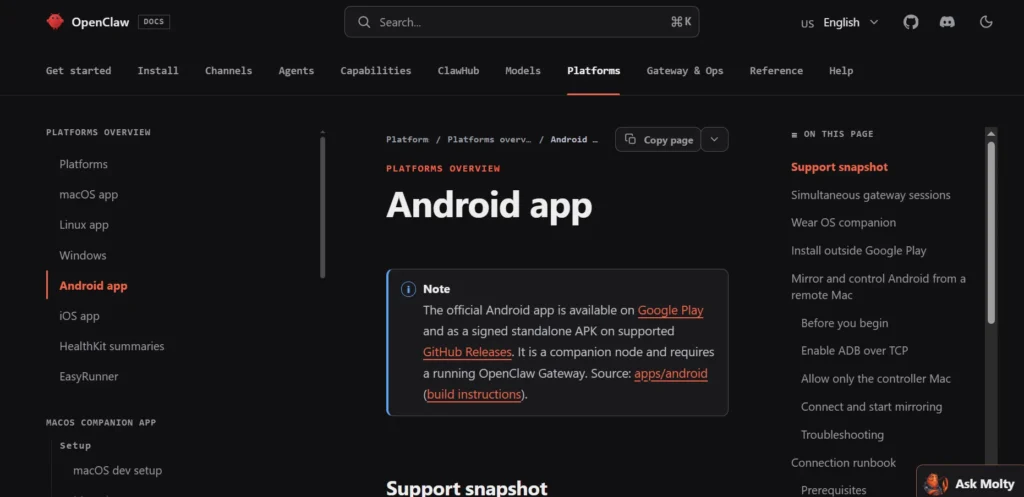
The OpenClaw Gateway acts as the main system that processes AI requests and manages all operations. Once the Gateway is installed and running, the Android app can connect to it over the internet or a local network. After the connection is established, users can chat with their AI assistant, send commands, review conversations, approve tasks, and monitor AI activities directly from their Android smartphone.Join the app Zs555 Game
Key Features of OpenClaw Apk
Simple Mobile Interface
OpenClaw offers a clean and easy-to-use interface that makes navigation simple for all users. The dashboard is well organized, allowing you to access conversations, settings, and other features without dealing with complicated menus. Whether you are a beginner or an experienced user, the application provides a smooth and comfortable experience on Android devices.
Remote Access
One of the biggest advantages of OpenClaw is remote access. After pairing the Android application with your OpenClaw Gateway, you can interact with your AI assistant from almost anywhere. You no longer need to stay in front of your computer because the mobile app allows you to send commands, check responses, and manage your AI system directly from your smartphone.
Secure Connection
OpenClaw focuses on giving users more control over their own data. Instead of sending information through a shared cloud service, the Android application connects directly to your personal OpenClaw Gateway. This setup allows you to manage your own AI environment while keeping communication within your own system, providing greater privacy and control.
Quick Pairing
Setting up the application is straightforward. OpenClaw includes a simple pairing process that securely links your Android device with your OpenClaw Gateway. Once the pairing is completed, the connection is saved, allowing you to reconnect quickly whenever you open the application.
Real-Time Communication
The application supports real-time communication between your Android device and the connected Gateway. Messages, commands, and responses are synchronized immediately, allowing you to interact with your AI assistant without noticeable delays. This creates a smooth and responsive user experience.
Lightweight Design
OpenClaw is designed to be lightweight and efficient. The application uses minimal storage space and system resources, allowing it to run smoothly on most modern Android smartphones and tablets. Its optimized performance helps reduce battery usage while maintaining reliable operation.
Regular Updates
The OpenClaw development team regularly releases updates that improve application stability, enhance compatibility with new Android versions, fix reported issues, and introduce new features. Keeping the application updated ensures better performance and access to the latest improvements.
Android Support
OpenClaw is compatible with many Android smartphones and tablets running supported Android versions. The application is optimized for different screen sizes and hardware configurations, making it accessible to a wide range of users. As long as your device meets the minimum system requirements and you have a working OpenClaw Gateway, you can use the Android application without difficulty.
System Requirements
| Requirement | Details |
|---|---|
| Operating System | Android 9.0 or later |
| RAM | 3 GB or higher |
| Storage | Around 100 MB free |
| Internet | Required |
| OpenClaw Gateway | Required |
How to Download OpenClaw APK?
- Visit the official OpenClaw documentation.
- Open the Android installation page.
- Download the latest signed APK from the official GitHub Release.
- Install the APK on your Android device.
- Open the application.
- Pair it with your OpenClaw Gateway.
- Complete the setup.
How to Install OpenClaw Apk?
- Download the latest APK.
- Open the APK file.
- Allow installation if prompted.
- Complete the installation.
- Launch the application.
- Pair it with your Gateway.
- Finish the setup process.
Use to OpenClaw APK
After installation, open the application and connect it to your existing OpenClaw Gateway. Once paired, you can communicate with your assistant, monitor tasks, and manage supported features directly from your Android device. Since the app acts as a companion, the Gateway must remain running on a supported computer.
Tips for Better Performance
- Keep both the Android app and Gateway updated.
- Use a stable Wi-Fi or mobile internet connection.
- Pair only with your own trusted Gateway.
- Keep your Android device updated.
- Restart the app if the connection becomes unstable.
Pros and Cons
| Pros | Cons |
|---|---|
| Easy to install | Requires an OpenClaw Gateway |
| Clean interface | Internet connection required |
| Remote AI access | Initial setup takes time |
| Regular updates | Not a standalone AI app |
| Lightweight design | Some features depend on the Gateway |
| Secure self-hosted connection | Requires pairing before use |
| Compatible with Android | Advanced features require Gateway configuration |
| Simple navigation | Not useful without a configured OpenClaw system |
Why Choose OpenClaw APK?
OpenClaw APK is a good choice for users who want to access their OpenClaw AI assistant from an Android smartphone or tablet. Instead of functioning as a standalone AI application, it works together with the OpenClaw Gateway installed on your computer. This allows you to manage your AI assistant remotely without needing to sit in front of your PC.
One of the main advantages of OpenClaw is that it connects directly to your own Gateway instead of relying entirely on shared cloud services. This gives users greater control over their AI environment and allows them to manage conversations, tasks, and settings from a mobile device. The application is lightweight, easy to navigate, and suitable for users who want a convenient way to stay connected with their AI assistant while away from home or the office.
Our Review
OpenClaw APK provides a smooth and reliable mobile experience for users who have already set up an OpenClaw Gateway. The application is easy to install, and the pairing process is simple, allowing users to connect their Android device within a few minutes. Once connected, the app enables real-time communication with the AI assistant, making it convenient to send commands, review conversations, and monitor ongoing activities.
The interface is clean and responsive, which makes navigation simple even for first-time users. Because the application is lightweight, it performs well on most supported Android devices without consuming excessive storage or system resources.
Conclusion
OpenClaw APK offers Android users a simple and efficient way to stay connected with their OpenClaw AI assistant from anywhere. By linking directly to a personal OpenClaw Gateway, the application provides remote access while giving users greater control over their own AI environment. Its clean interface, lightweight performance, secure connection, and regular updates make it a reliable companion for daily use.
If you already use the OpenClaw platform, the Android application is a practical addition that lets you manage conversations, monitor AI activities, and communicate with your assistant directly from your smartphone or tablet. For the best performance and security, always download OpenClaw APK from the official OpenClaw website or the official GitHub release page and keep both the application and your Gateway updated.
Download links
How to install OpenClaw Apk APK?
1. Tap the downloaded OpenClaw Apk APK file.
2. Touch install.
3. Follow the steps on the screen.